News from Bogstavhuset
New posters, materials and features straight to your inbox. No spam – unsubscribe anytime.
Our mission
Every child should be able to learn to write.
Bogstavhuset was made so children can practise handwriting and the alphabet in a way that is safe and free of barriers. That is why it is free, needs no login and can be used right away.
Every single letter counts.
Together we are writing our way to 1,000,000 letters – one child and one letter at a time.
About Teddy Brask

Teddy Brask
IT adviser and teacher at Billesborgskolen in Køge, Denmark
Kystparken 10, 4600 Køge
Have an idea, a suggestion or just want to say hello? Write to me:
teddybrask@gmail.comBuy me a coffee ☕
If Bogstavhuset is useful to you, you can support its continued development.
Buy me a coffeeFastest on every device: scan the QR code
Point the camera or a scanner app at the code and the page opens by itself.
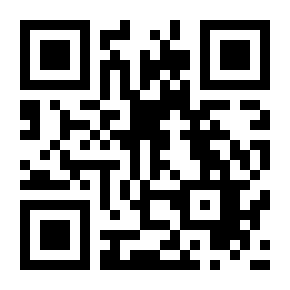
Tip for many devices:
Show the QR code on a big screen and let the teachers scan it on each tablet. Then they only have to tap “Add to home screen” once per device.
Bogstavhuset uses no cookies and collects no personal data.